Every payment provider. One back office.
Run cards, local methods, bank wire and crypto from one place, with an AI operator that does the busy work and crypto deposits approved instantly. When a provider declines, 60Pay tries the next one.
Smart routing sends each payment to the provider most likely to approve it. Cascading catches soft declines and retries on the next one.
Add a provider, a method or a country from the back office. No new code in your CRM, client area or apps.
Payouts, refunds, wire matching, reconciliation and reports in one place, with an AI helper that does the busy work.
Finance and support, in one place.
Built for the people who use it all day. Plain words, live numbers, and every list with filters, saved views and export.
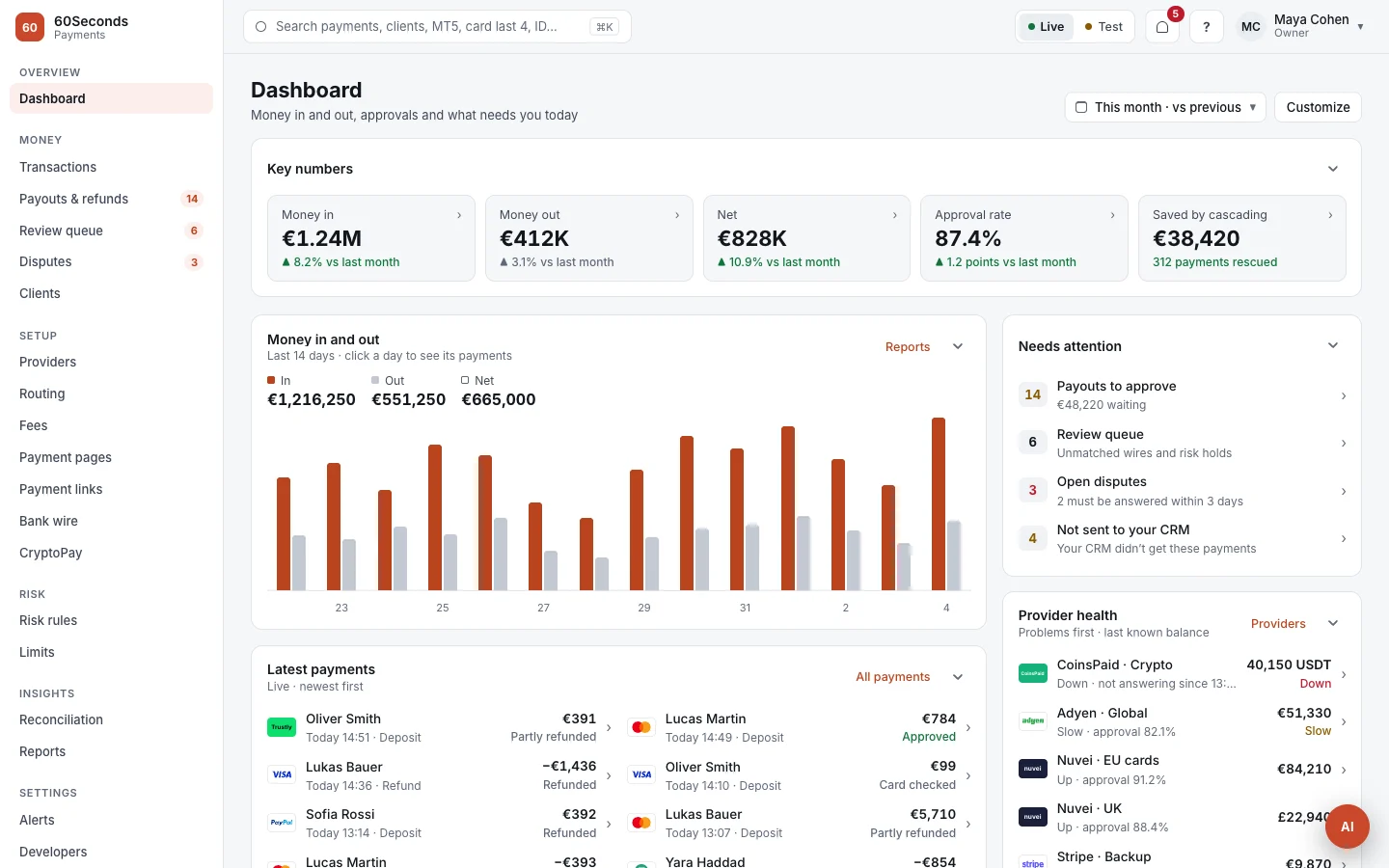
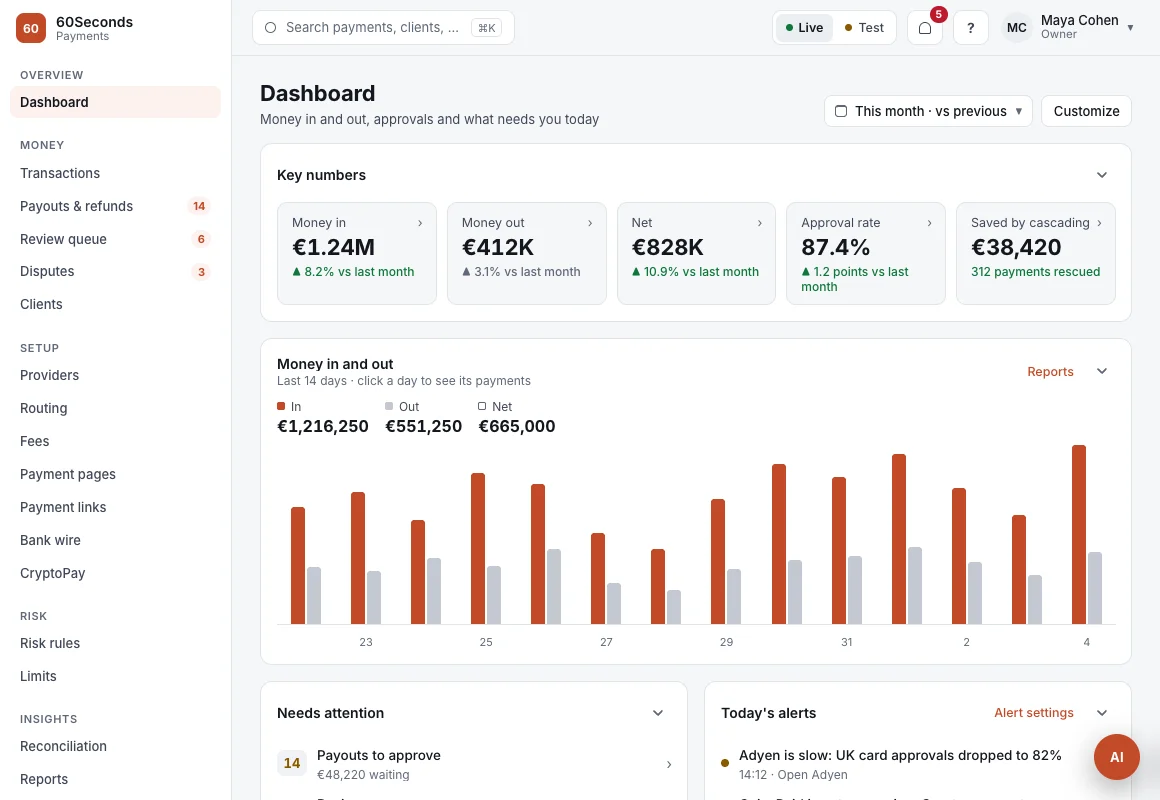
The whole day on one screen.
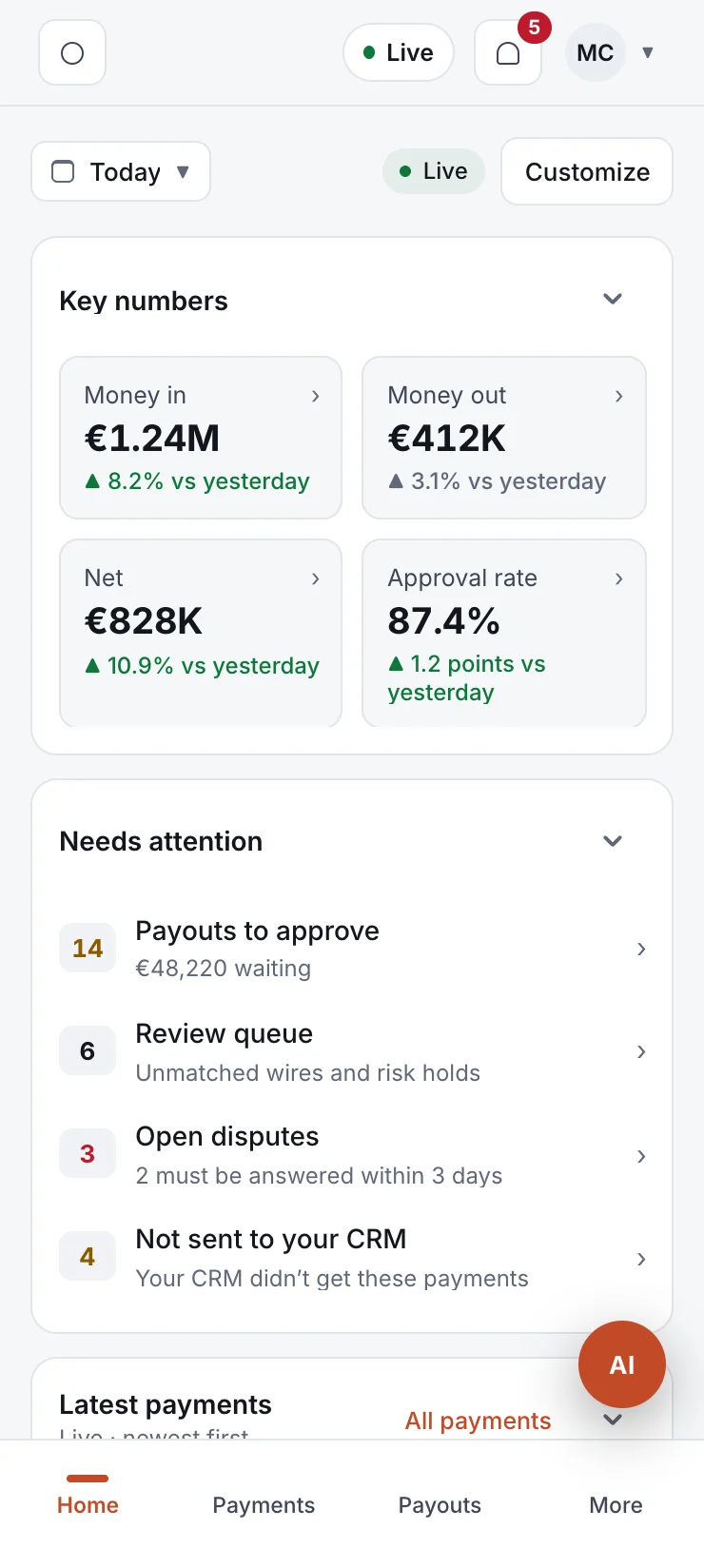
Money in and out, approval rate, money saved by cascading, provider health and what needs your team, updating live.
The AI runs the payments desk. Your team approves.
Managing many providers takes a full team: routing, fraud, reconciliation, provider outages. The 60Pay AI does that work on every screen of the back office, and your team only reviews and approves.
Finds the cause and fixes the routing.
It reads every try and every decline code, finds the provider and country behind the drop, and moves traffic to the provider that's approving.
- Explains the numbers in plain words
- Rewrites routing rules and the backup order
- Shows the change before it's saved
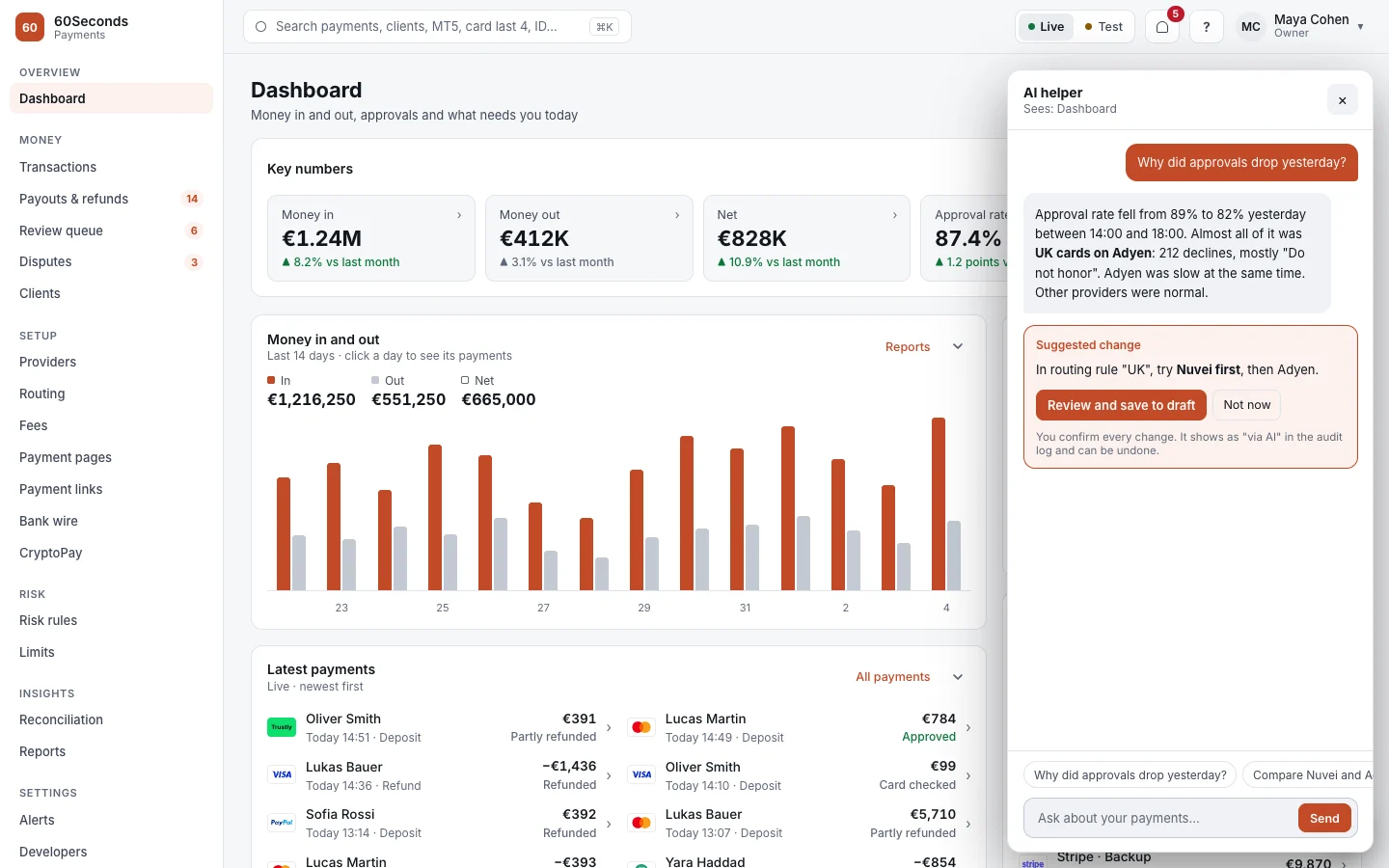
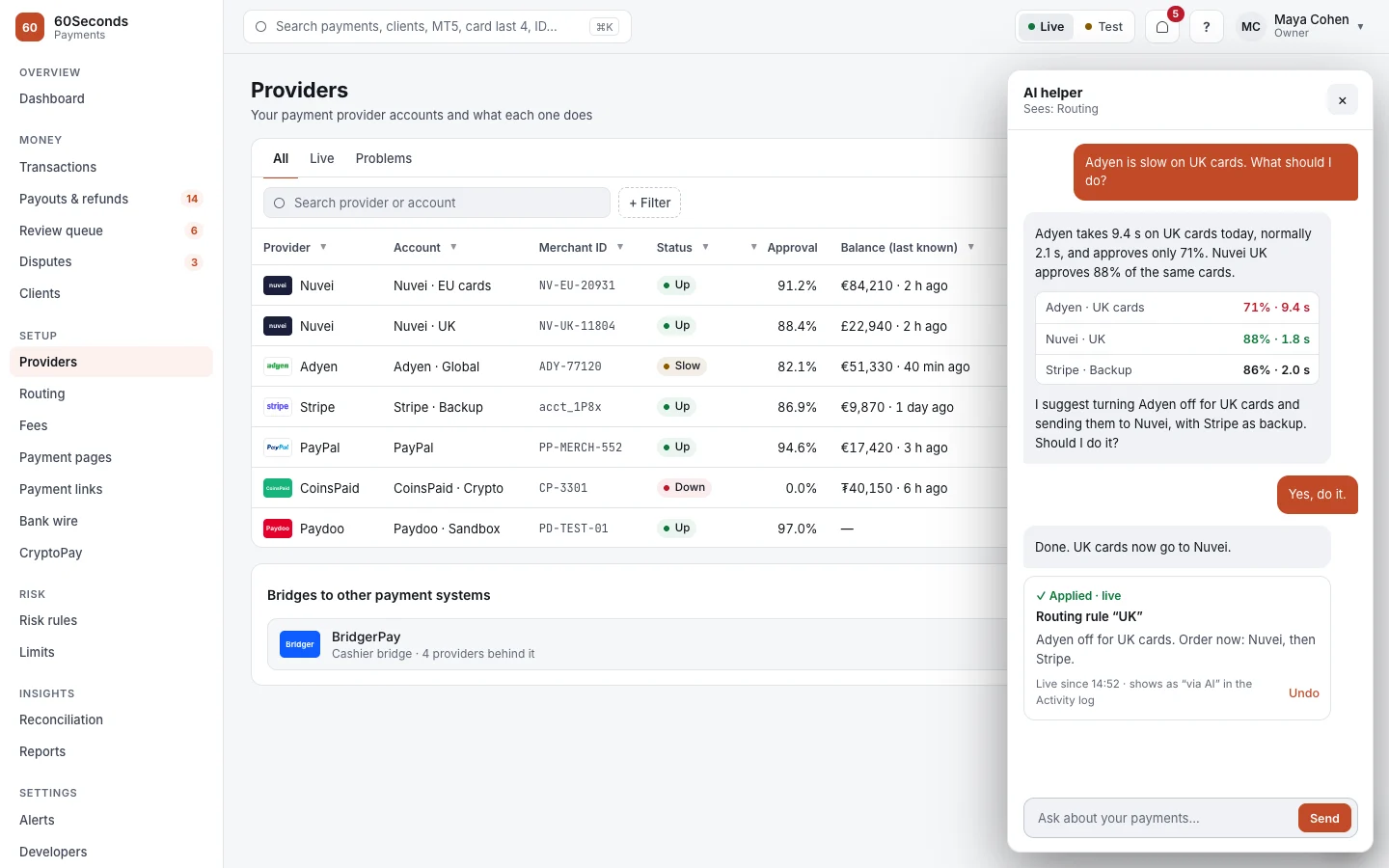
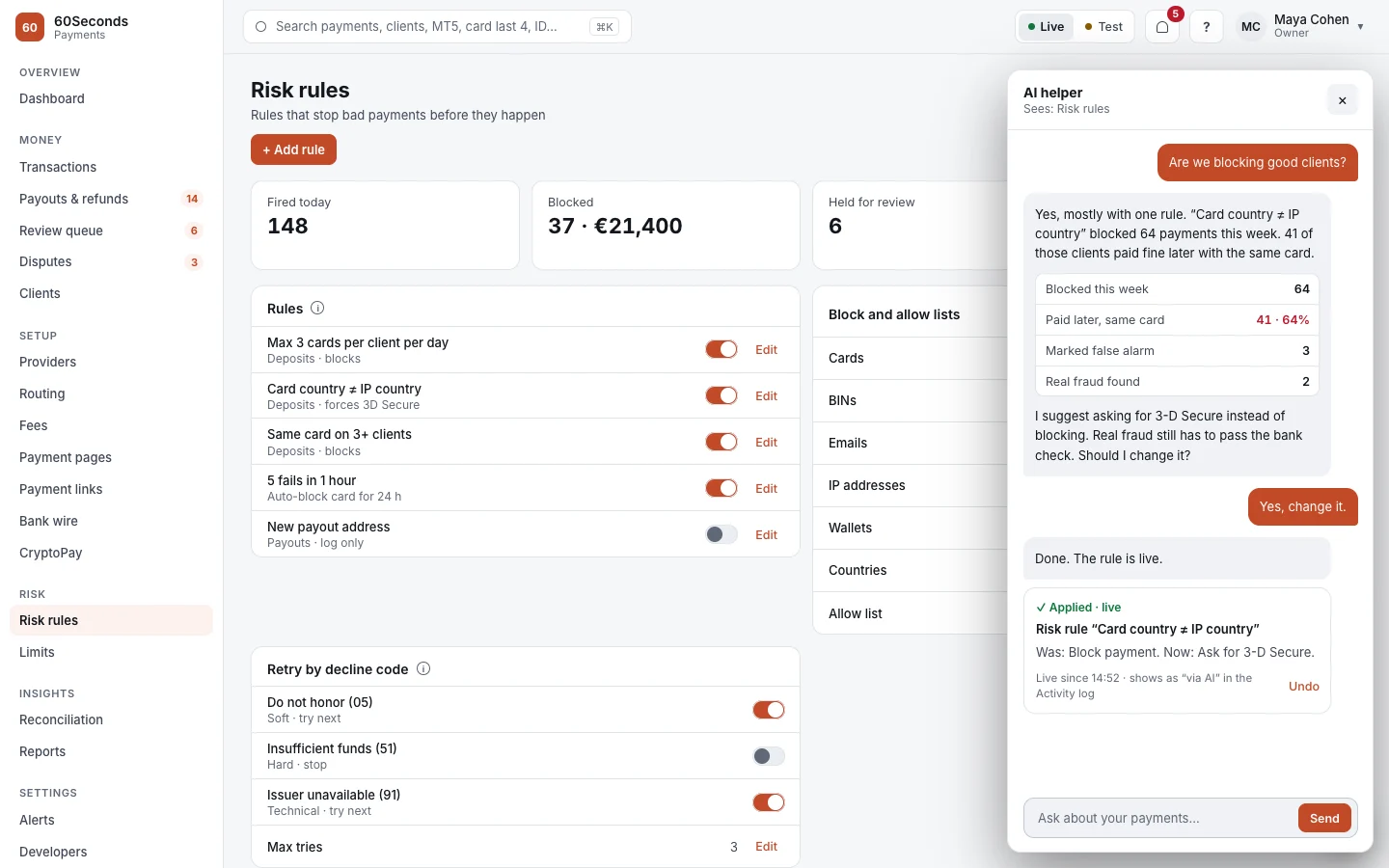
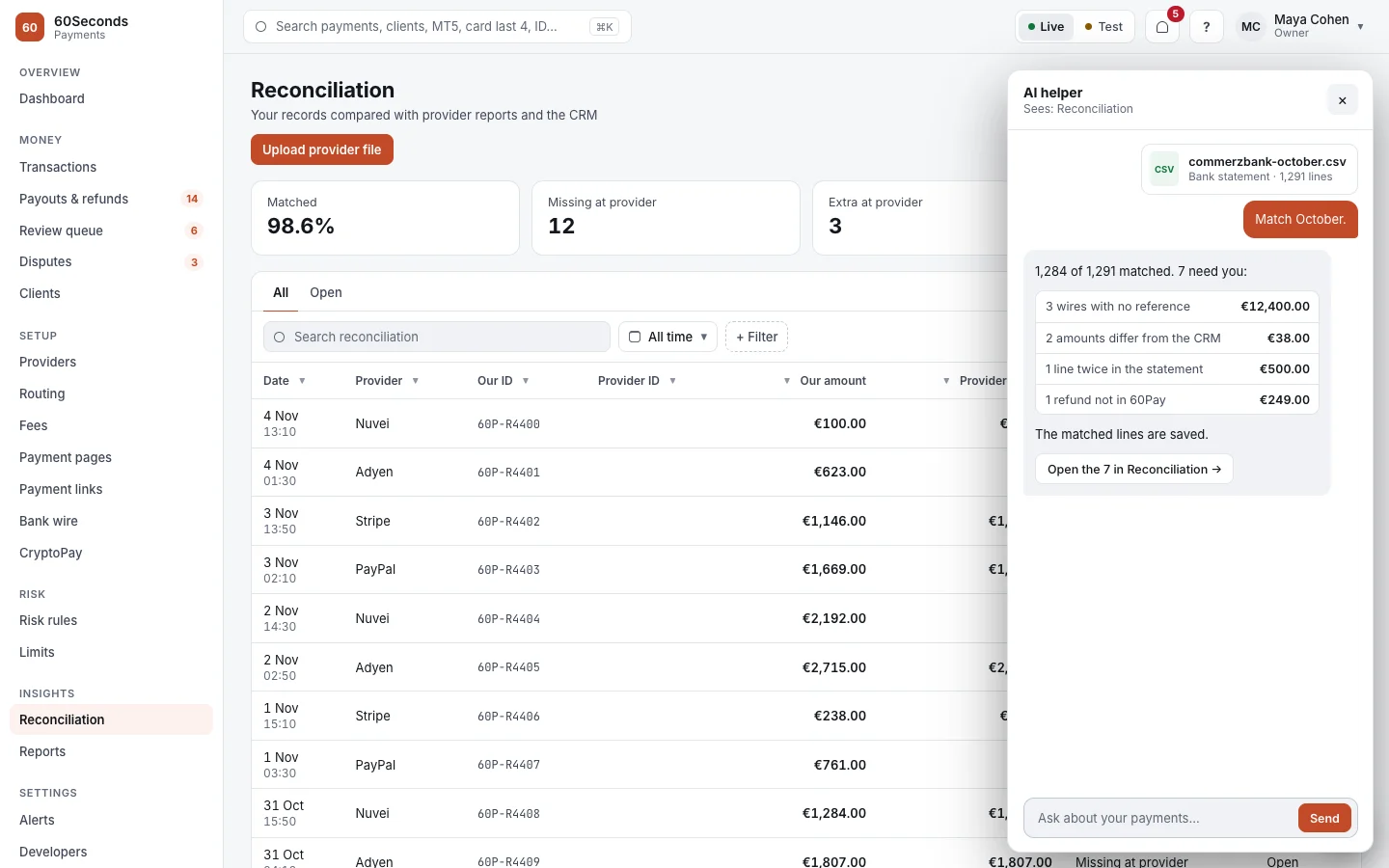
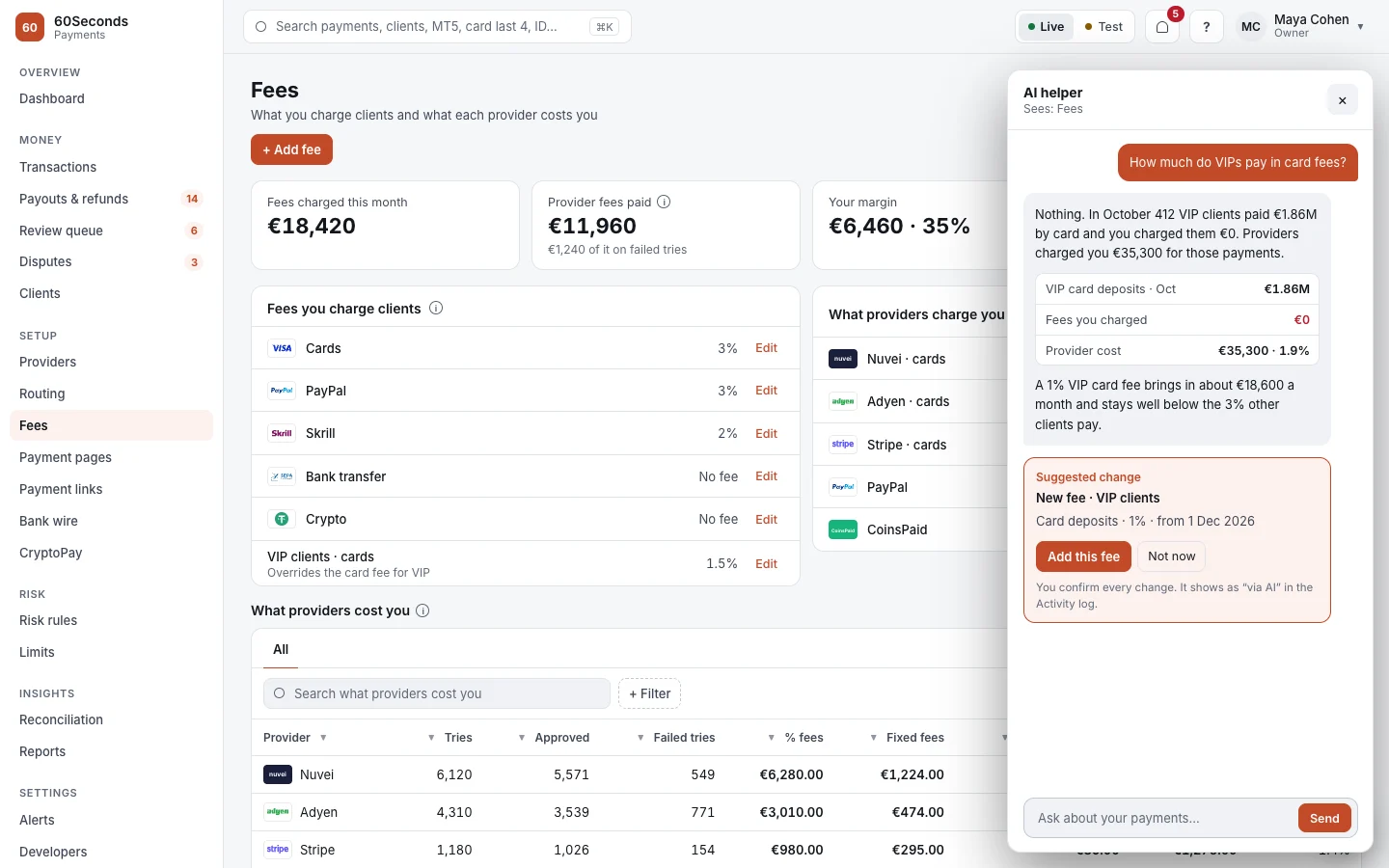
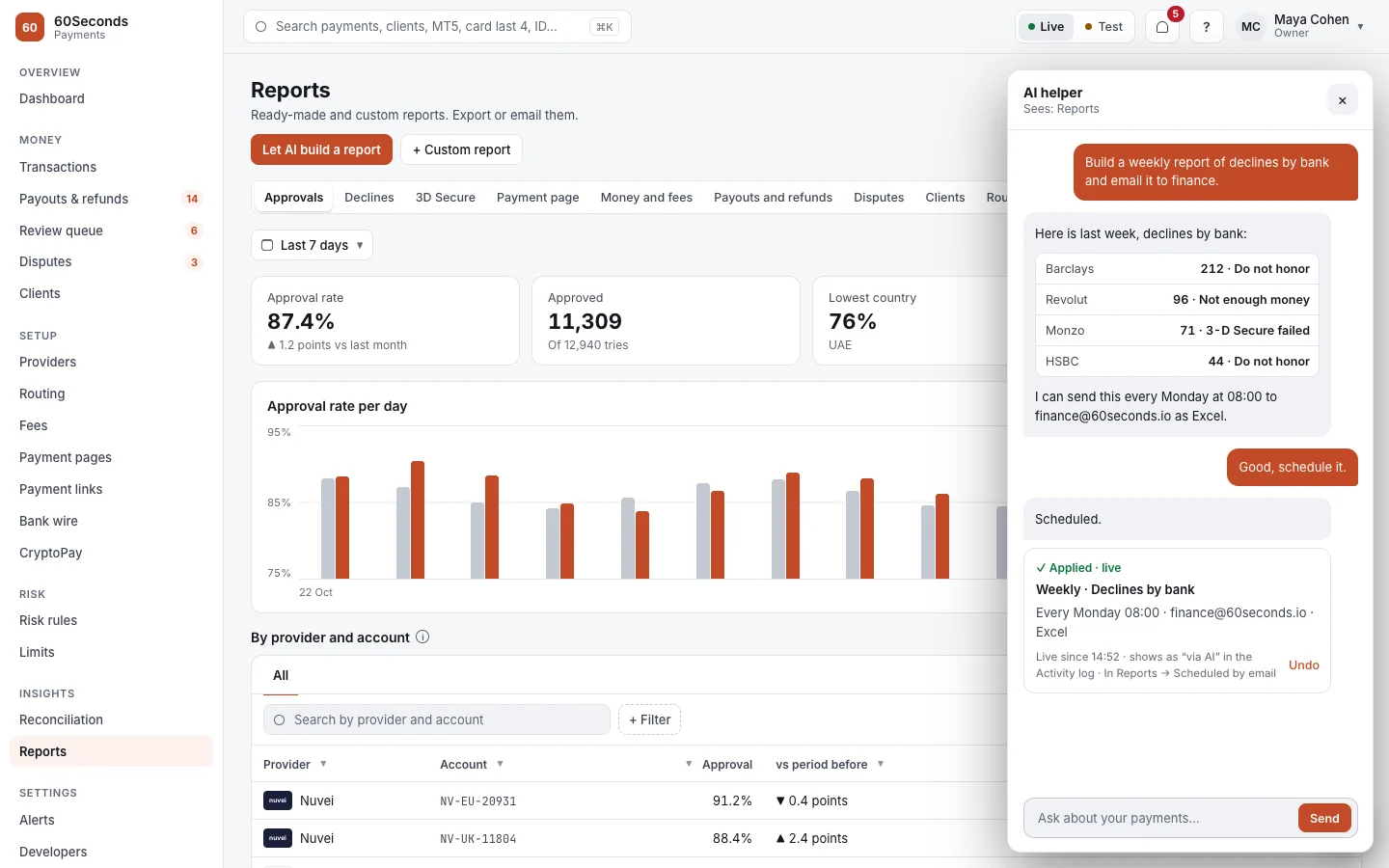
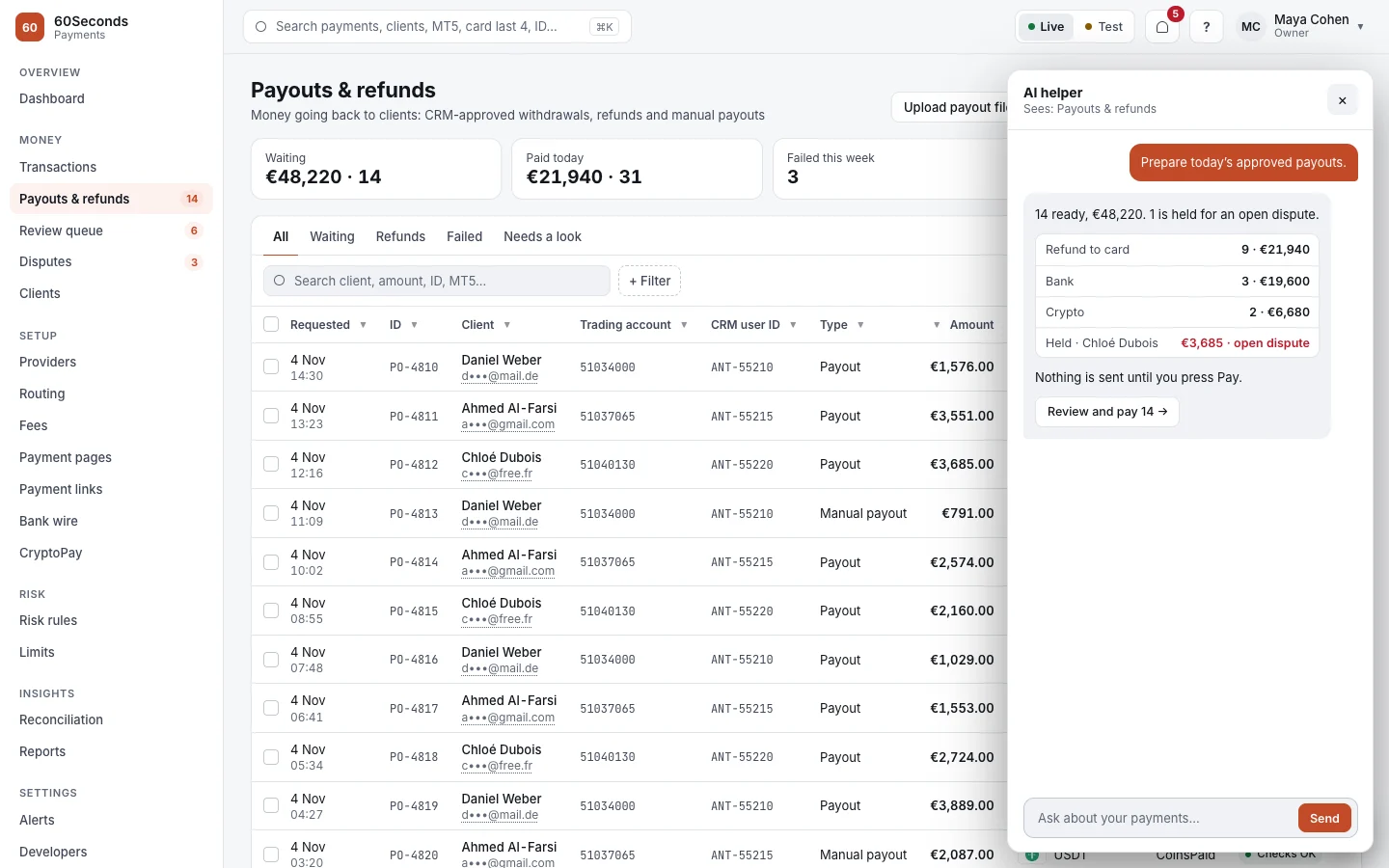
The AI suggests, a person confirms. Owners choose what it may do and up to what amount.
Every change is marked "via AI" in the activity log and can be undone in one click.
It sees the page you're on and the payment you've opened, on desktop, tablet and phone.
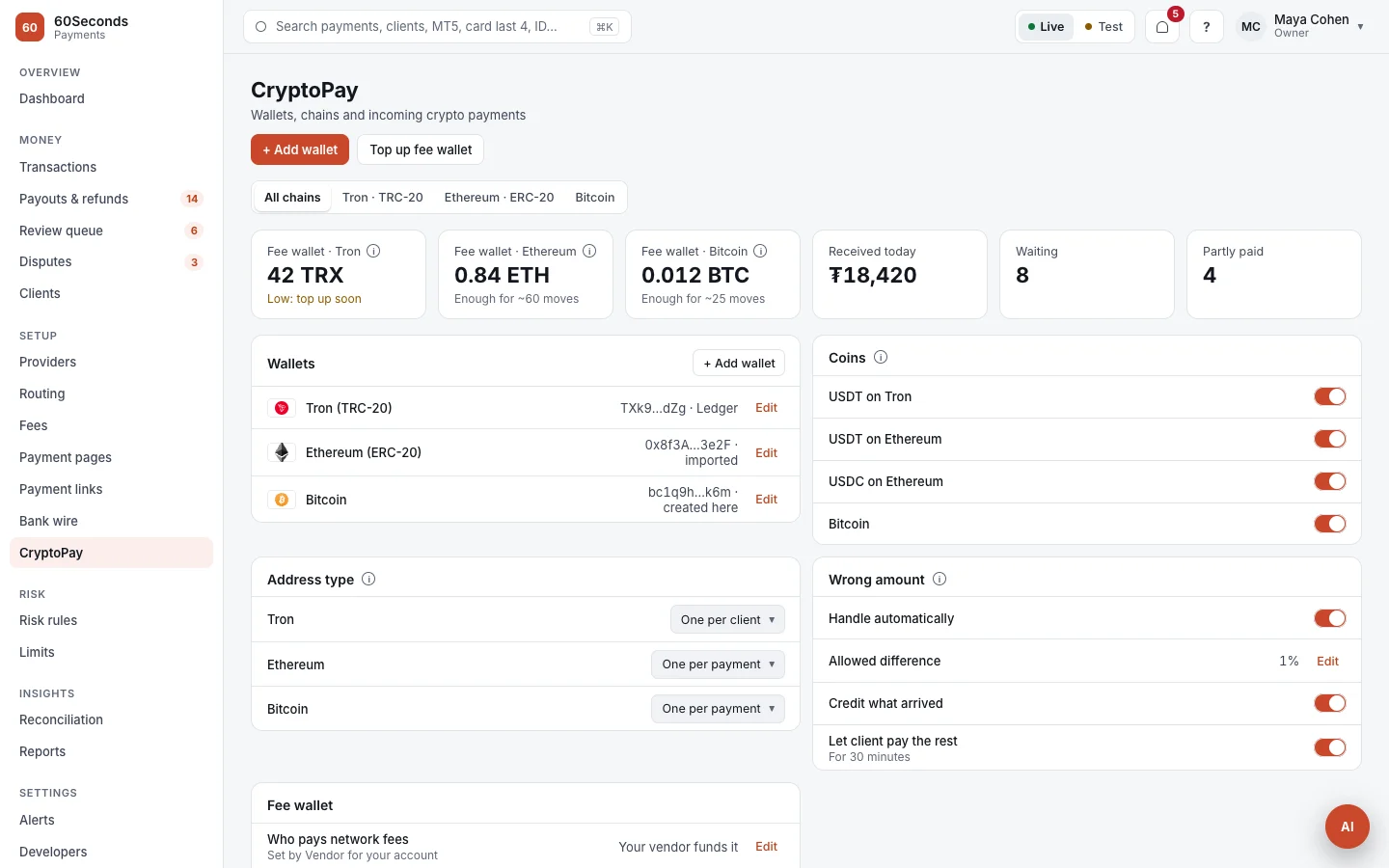
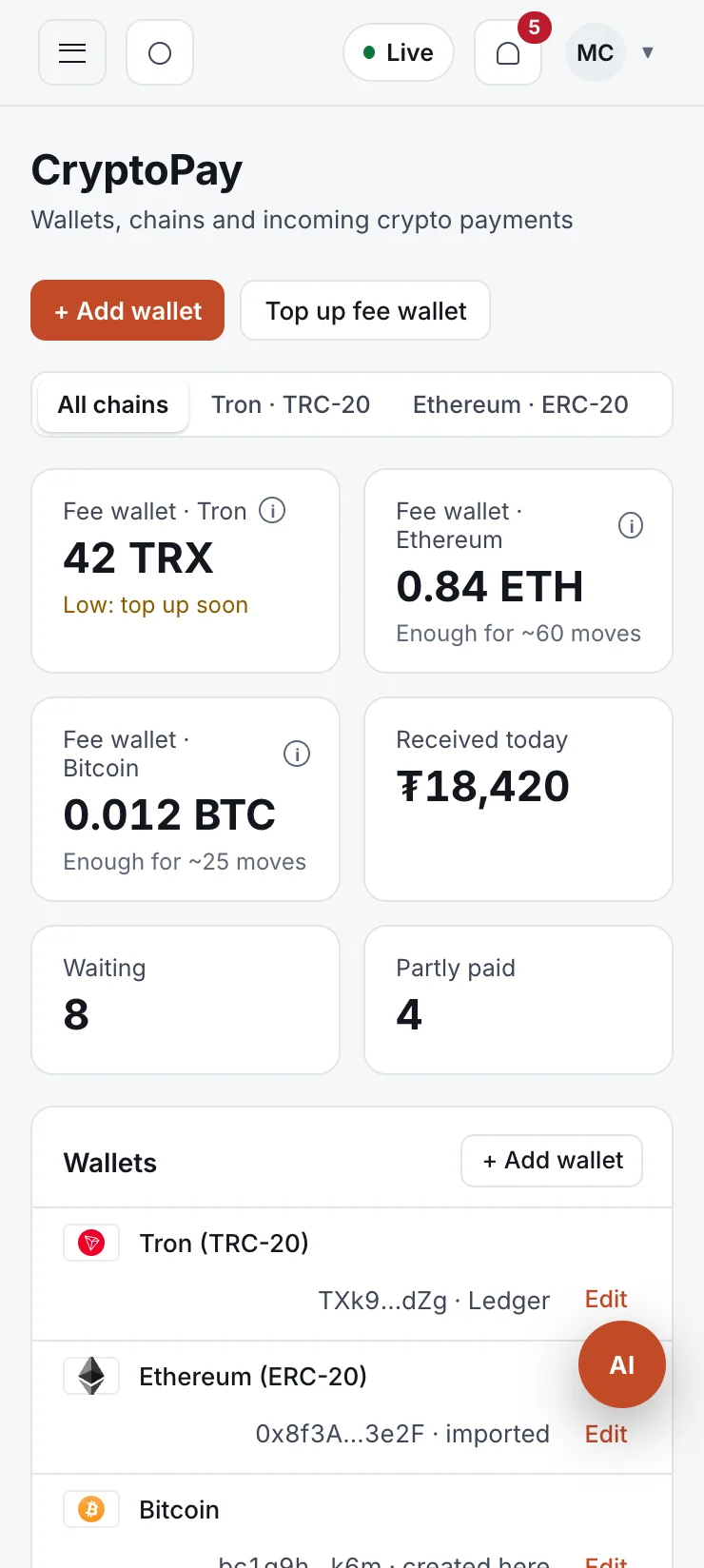
Accept crypto with instant approval.
Smart-contract wallets for every client or payment, swept to your main wallet automatically. You hold the keys; we never keep them.
A smart-contract wallet is created for each client or each payment.
USDT, USDC or Bitcoin, on Tron, Ethereum or Bitcoin, from any wallet or exchange.
As soon as it confirms on chain, the deposit is approved and the account is credited.
Funds move to your main wallet by themselves, with network fees paid from a fee wallet.
- An address per client, per payment, or one fixed address
- Wrong amounts handled for you: credit what arrived, or ask for the rest
- Live status: seen, confirmed, partly paid
- Your own wallets, created here or imported from Ledger, Trezor or TronLink
- A fee wallet with a low-balance alert
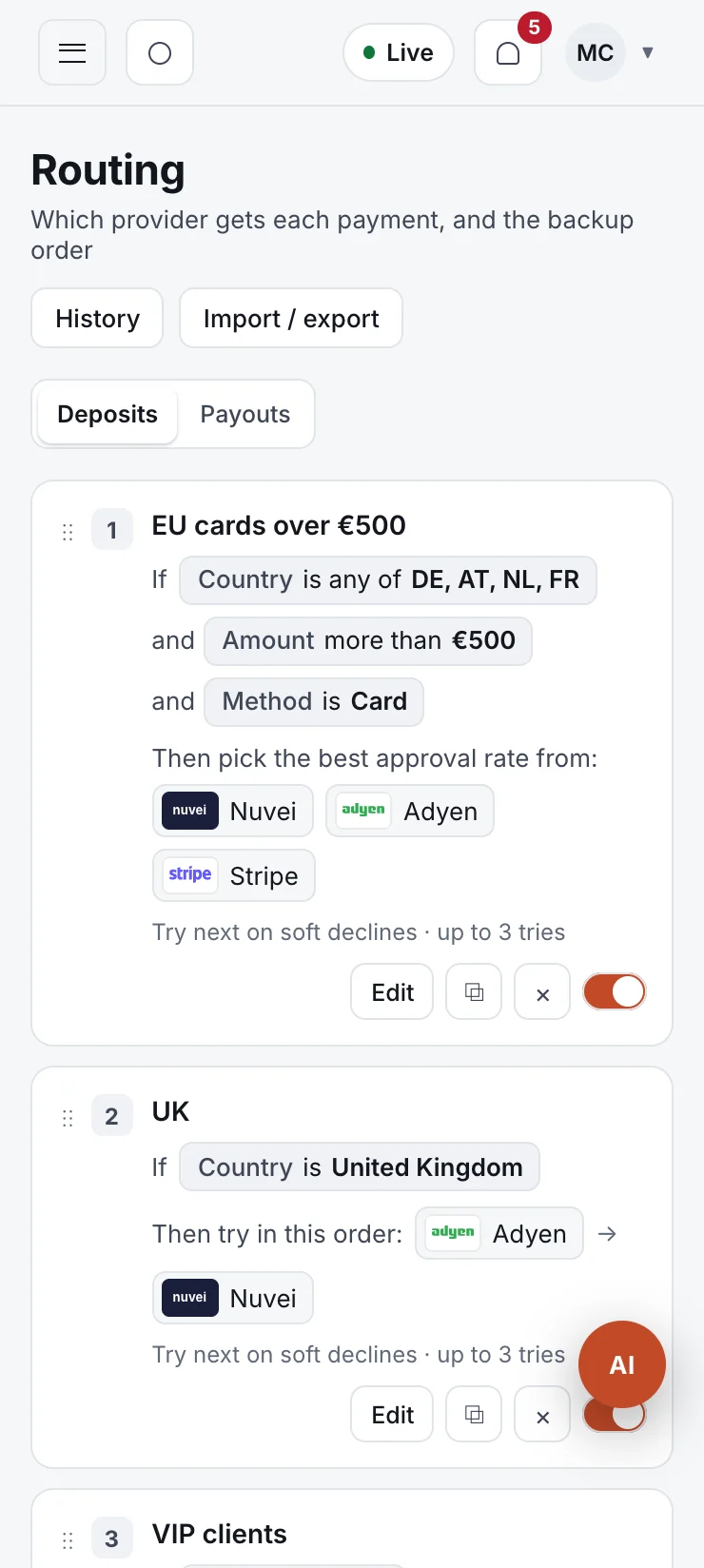
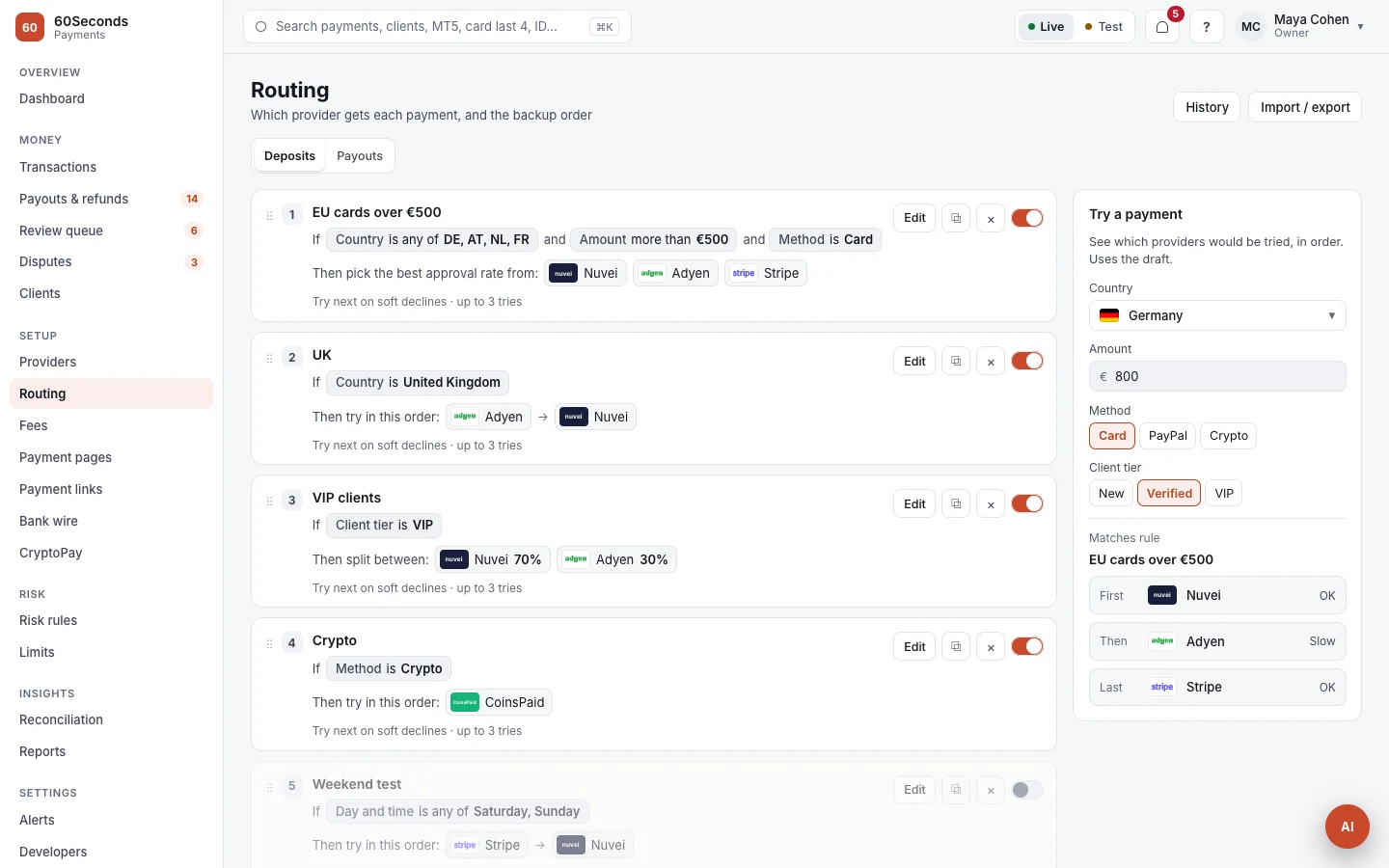
Each payment goes where it's most likely to be approved.
Build rules in plain words, test them on a sample payment, and publish. Every version is kept, so you can go back in one click.
If this, then that provider.
- Rules by country, currency, amount, method, card type, BIN, issuer and client tier
- Fixed order, % split or best approval rate
- Soft declines retry on the next provider automatically
- Providers that are down or over their limit are skipped
- Separate rules for payouts
Build your payment page in minutes. No developer.
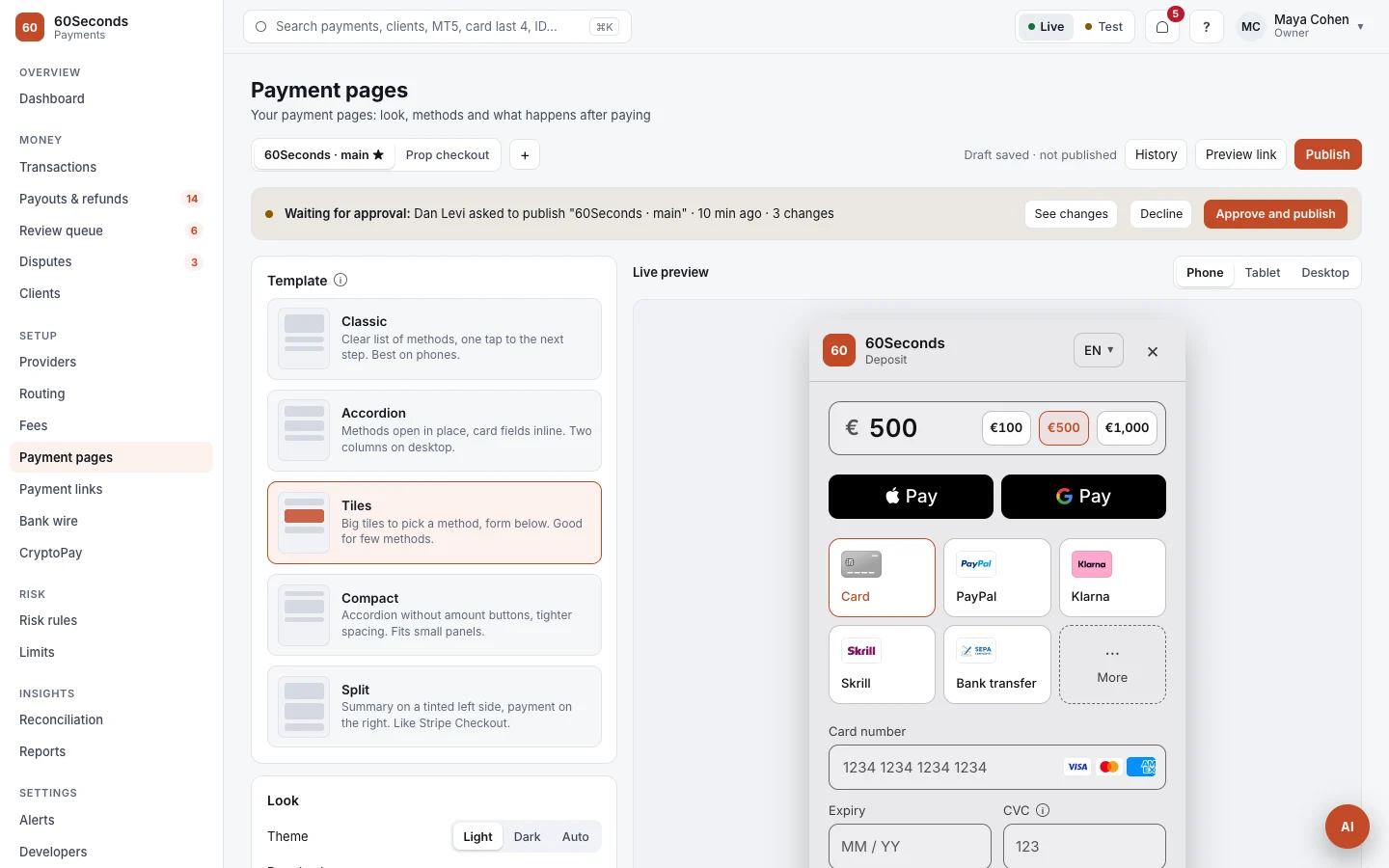
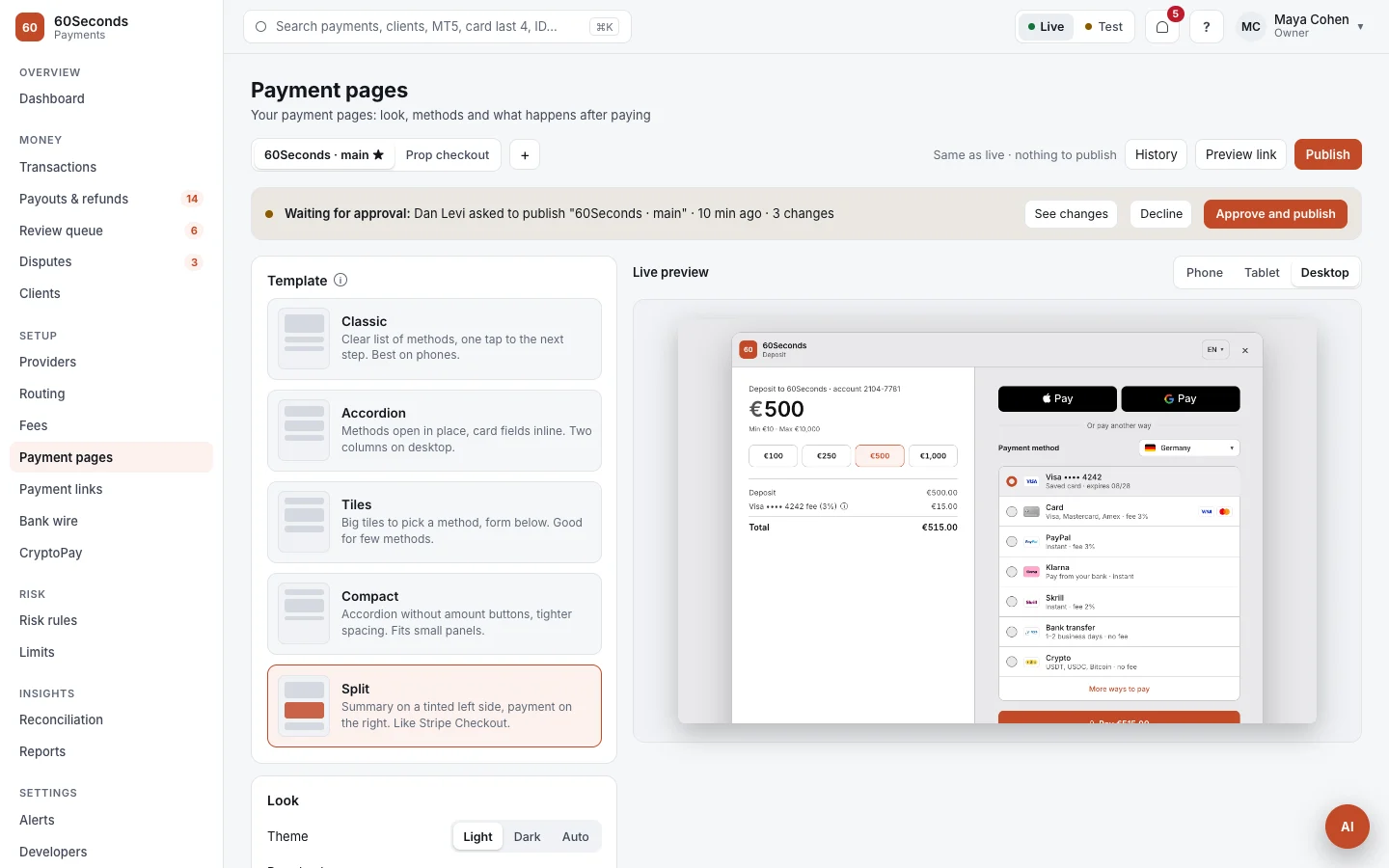
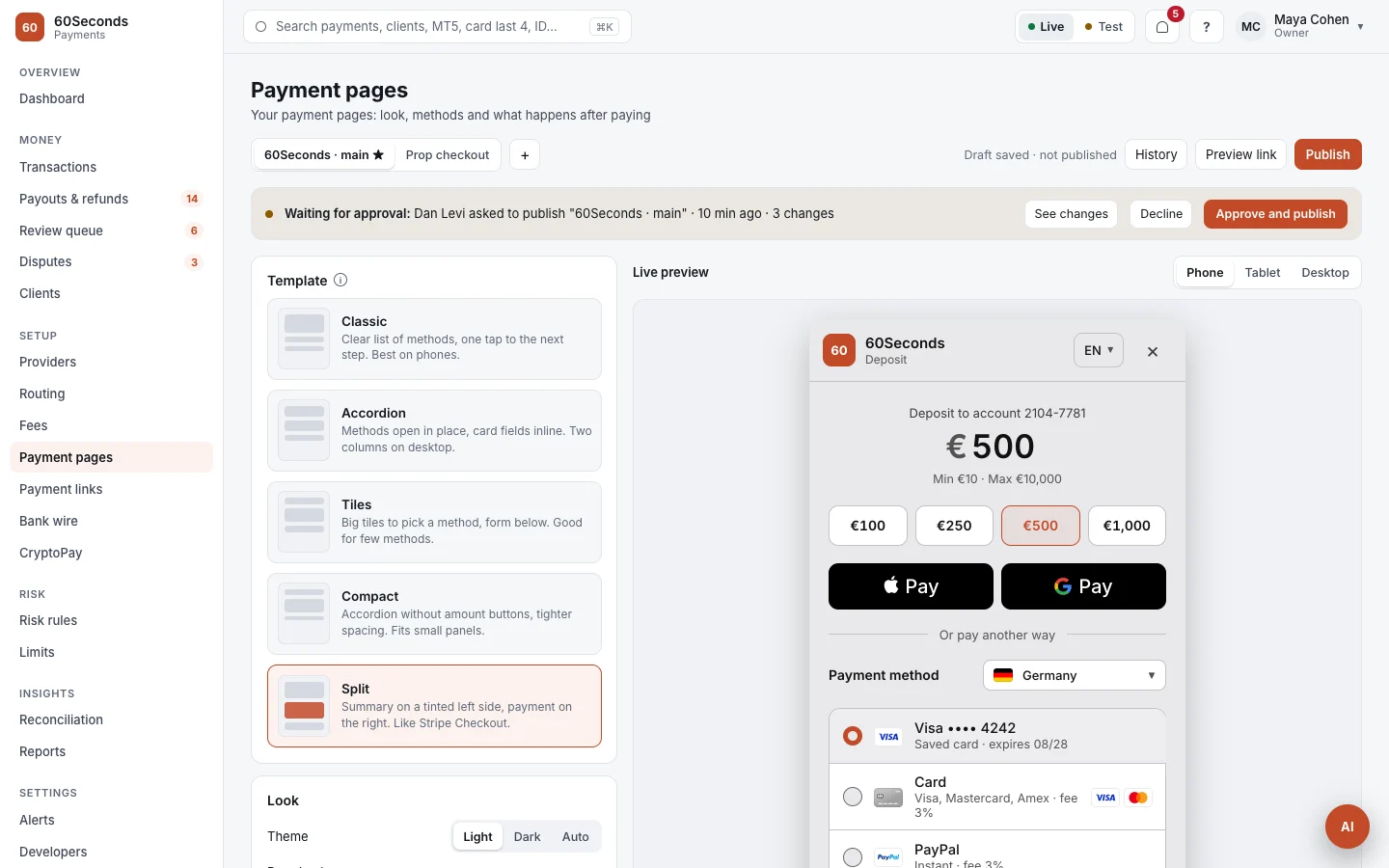
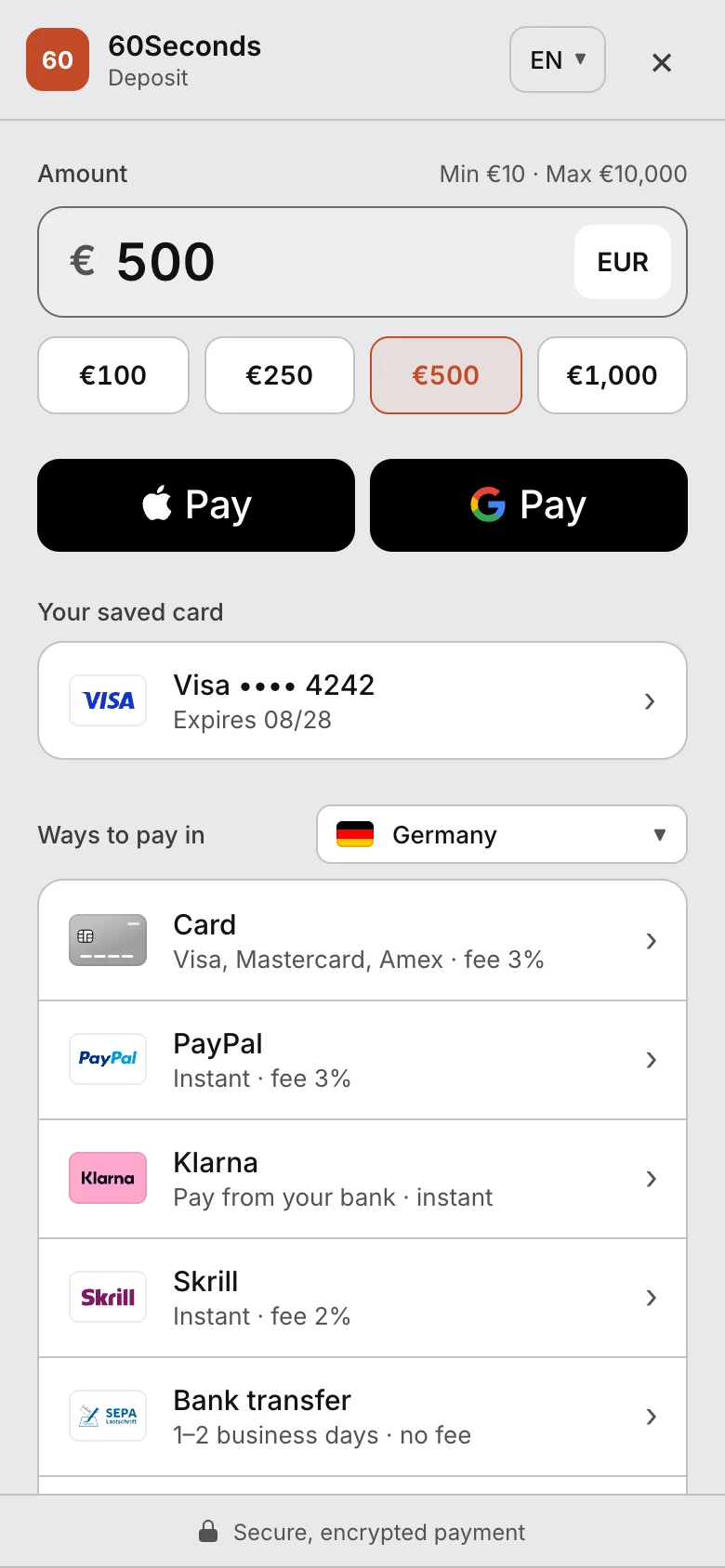
Pick a template, add your brand and choose the methods. You see it live on phone, tablet and desktop as you go. Run a different page for each brand, website or product.
A clear list of methods, one tap to the next step. The fastest way to pay on a phone. Also Accordion and Compact layouts.
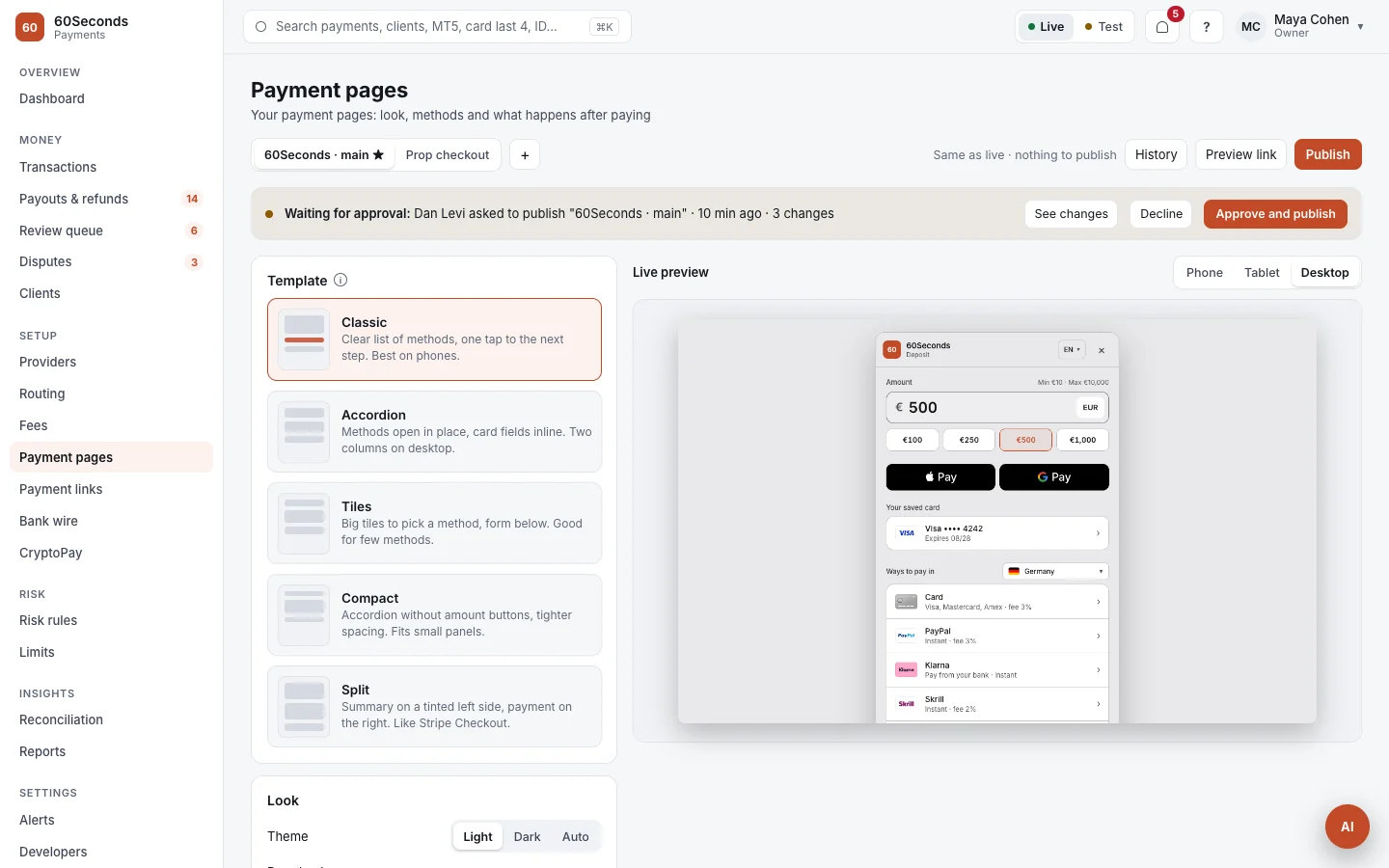
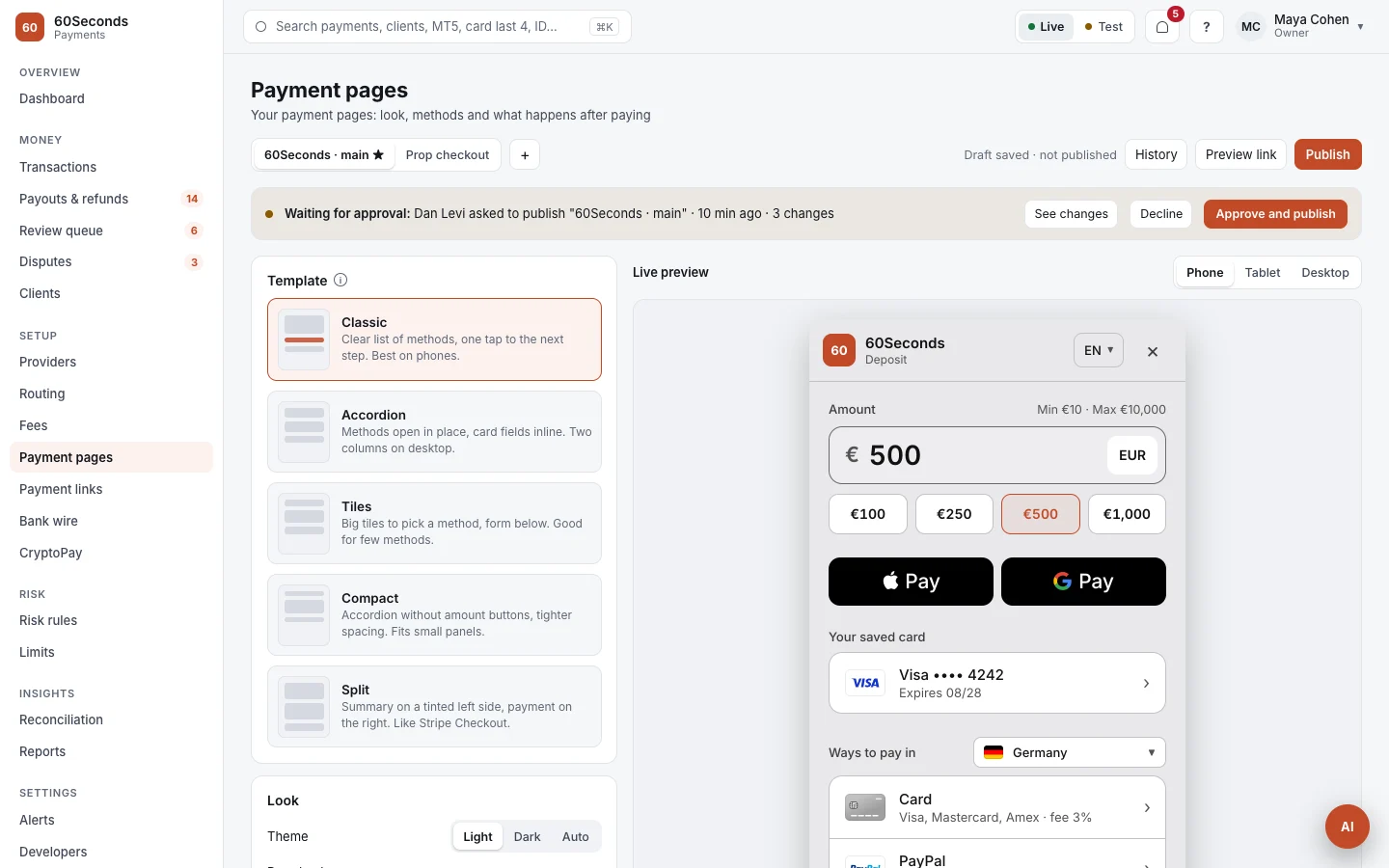
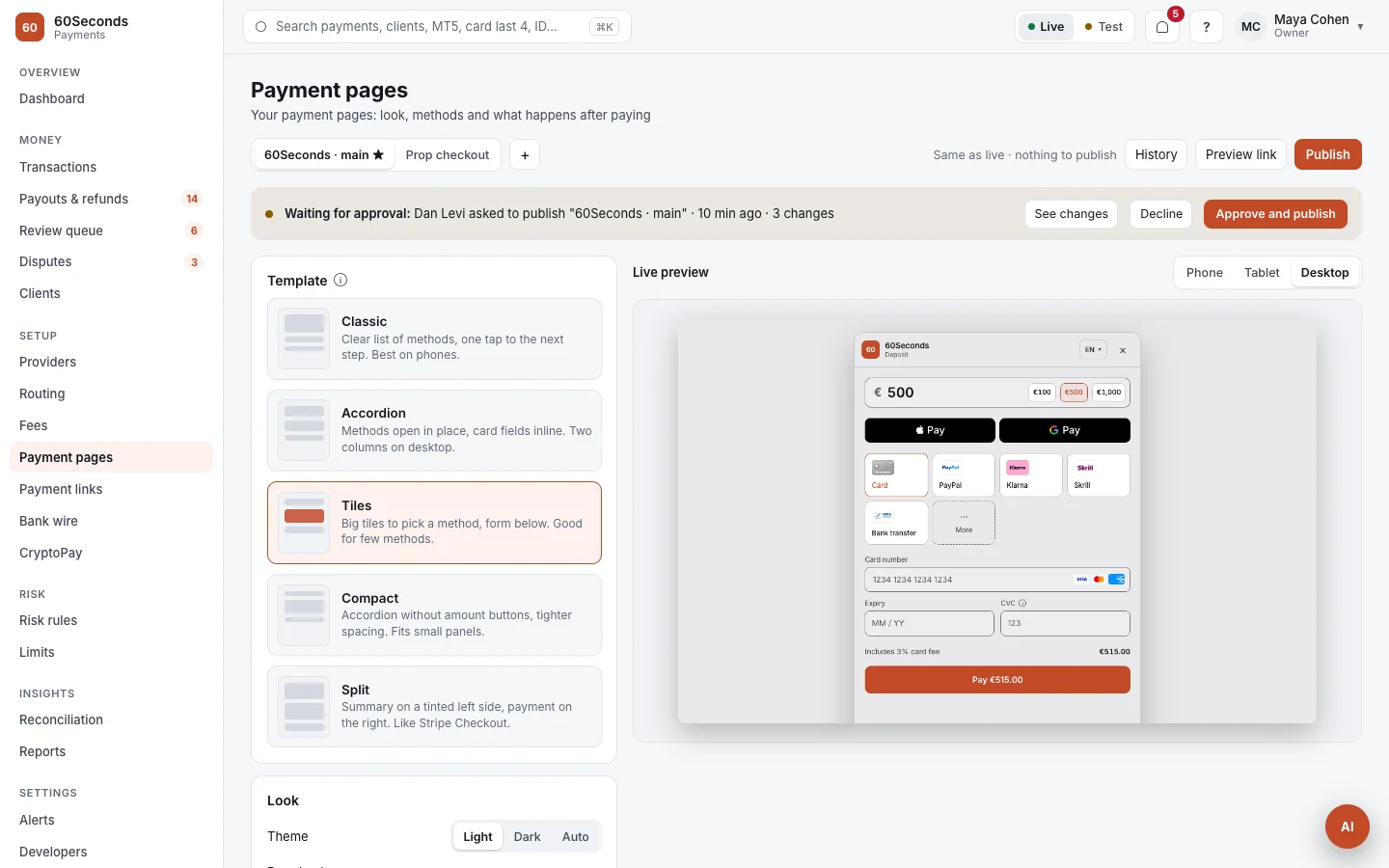
Logo, brand colour, light, dark or auto
Default language, plus right-to-left
Show, hide and order them per country, currency, amount and device
Quick-amount buttons, min and max, or a locked amount
Which client fields show, the button text, a note per method
Success and failed pages, auto-return, receipt email
Which websites can open the page, limits per payment
A live preview, a shareable preview link, publish with approval, version history
A checkout clients actually finish.
Made for phones first, and opened inside your client area or WebTrader, so clients never leave. On your domain, in your brand and language, including right-to-left.
The right methods for each client.
Methods are picked for the client's country, currency, amount and device, in your order. Saved cards and Apple Pay or Google Pay come first.
- Cards, Apple Pay, Google Pay, local methods, bank wire and crypto
- Opens in a box, an overlay, a pop-up or a redirect, whatever each method needs
- Payment links by email, SMS or QR code
Name, email and country come from your CRM, so clients only choose and pay.
The country is detected and the right local methods come first, with search across hundreds more.
A soft decline goes straight to the next provider. The client sees one payment.
Another card, another method, a smaller amount, bank wire or crypto, in the same place.
Saved cards, Apple Pay and Google Pay on top. A QR code on devices without them.
Opens inside the client area or WebTrader, or on a payment link. Always on your domain.
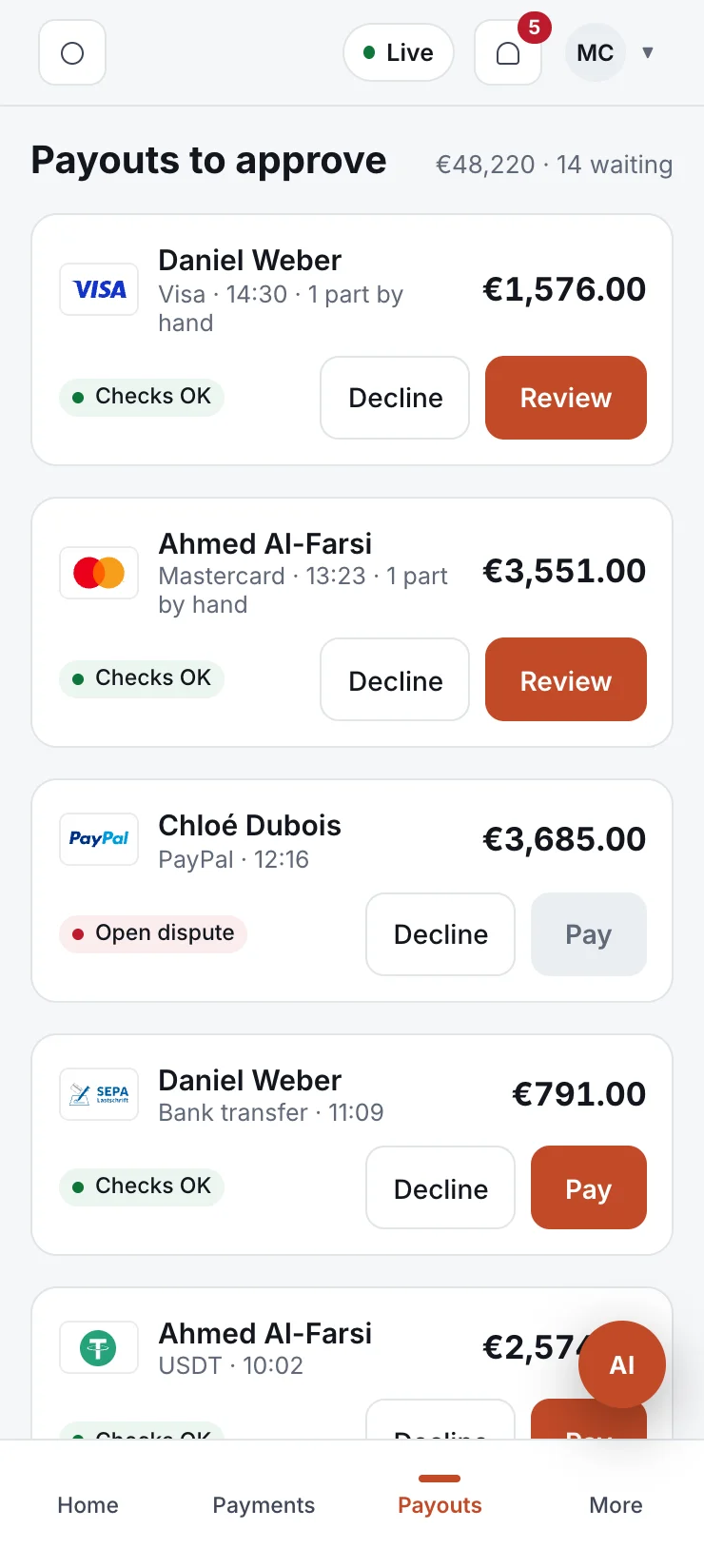
Approve a payout from the train.
The full back office on desktop and tablet, and a phone view built for the quick jobs: today's numbers, approvals and finding a payment.
Integrated with hundreds of providers. If yours isn't, we integrate it for you.
Add the provider accounts you already have, or pick new ones from the catalogue.
Routing, fees, limits and your payment page, from templates or from scratch.
Test with sandbox cards, then switch to live. Your CRM gets every payment automatically.
On its own, or already inside every 60Seconds product.
Brokerage, Prop firm and Prediction Markets come with 60Pay connected to the CRM, client area and apps. Deposits, withdrawals and refunds sync both ways.
Questions operators ask.
Yes. You connect the merchant accounts you already have. Money goes straight from the provider to you; 60Pay routes the payment and never holds funds.
Hundreds of card acquirers, alternative payment methods, bank wire and crypto. If one you need isn't connected yet, we connect it for you.
If a provider declines a card for a soft reason, 60Pay tries the next one in your order straight away. The client sees one payment, not a retry.
Yes. 60Pay is sold on its own. It connects to the CRM and trading platform you already run by API, so deposits, withdrawals and refunds sync automatically.
Yes. Brokerage, Prop firm and Prediction Markets come with 60Pay already connected to the CRM, client area and apps.
Inside your client area or WebTrader, without leaving it, or on a payment link. Always on your domain, in your brand and language.
Yes. Providers, routing, fees, payment pages and risk rules are all settings. The AI helper can make changes too, and you approve each one.
It explains numbers, suggests changes and prepares them: routing, providers, risk rules, fees, limits, reconciliation and reports. A person approves each change, and the Owner decides what the AI may do and up to what amount.
As soon as the payment confirms on chain. Each client or payment gets its own address, so there's nothing to match by hand, and the funds sweep to your main wallet automatically.
Yes. Every account has a test mode with test cards and payments. Test and live are always clearly marked.
Your payments desk is one chat away.
Tell our assistant which providers and methods you use. It books a call where we show 60Pay running with your setup.